TikBox
Can’t install on Windows?
Match the screenshots to your screen — do the step for the window you see.
Download TikBox (Windows) · How to use TikBox
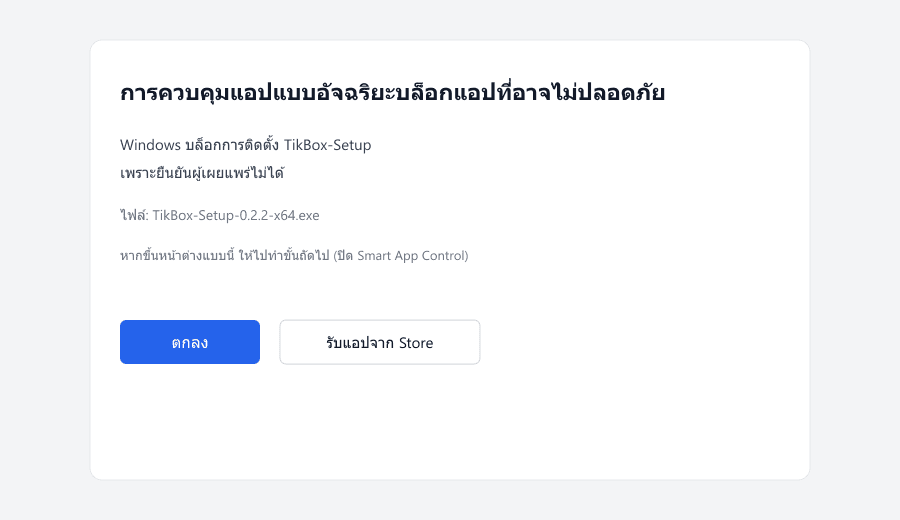
- 1See a block window like this?
If it says Smart App Control and only has OK → go to step 2.
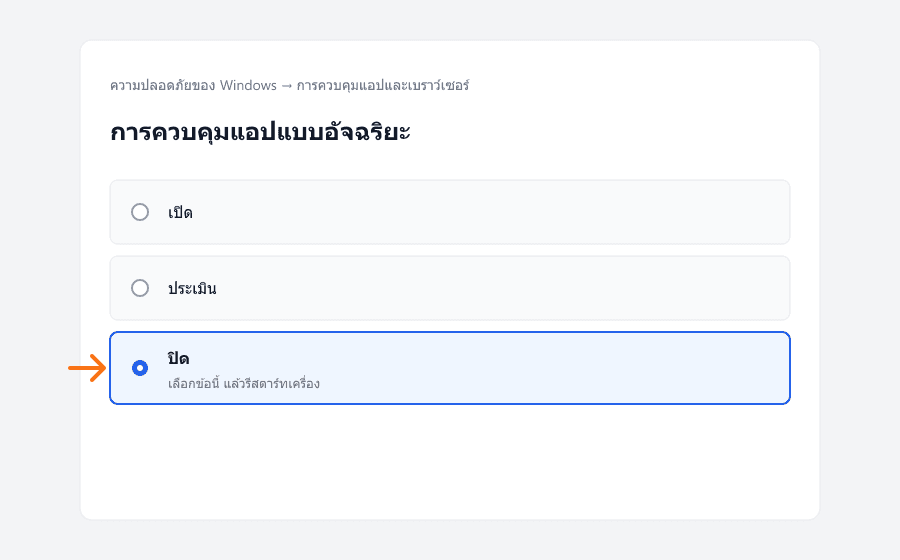
- 2Turn off Smart App Control, then restart
Open Windows Security → App & browser control → Smart App Control → Off → restart → open Setup again.
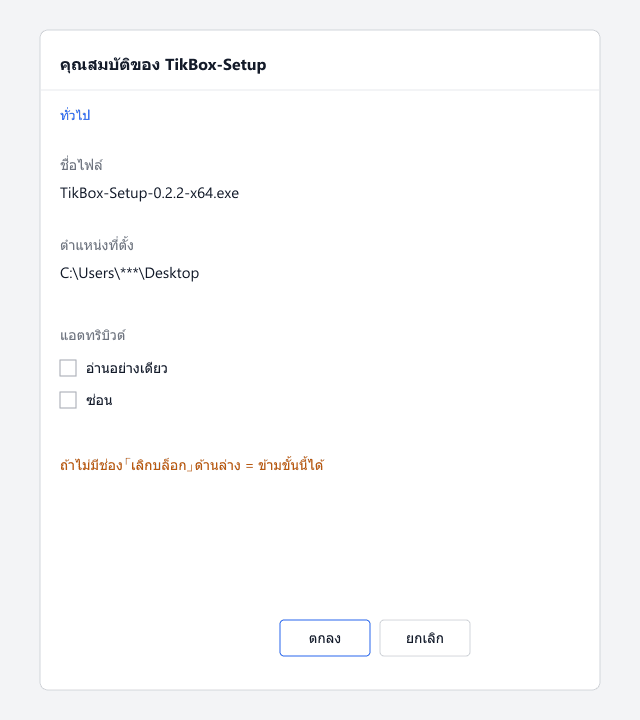
- 3Unblock checkbox — only if it appears
Right-click Setup → Properties → if Unblock is shown at the bottom, check it and OK. If missing like the photo below, skip — that’s fine.
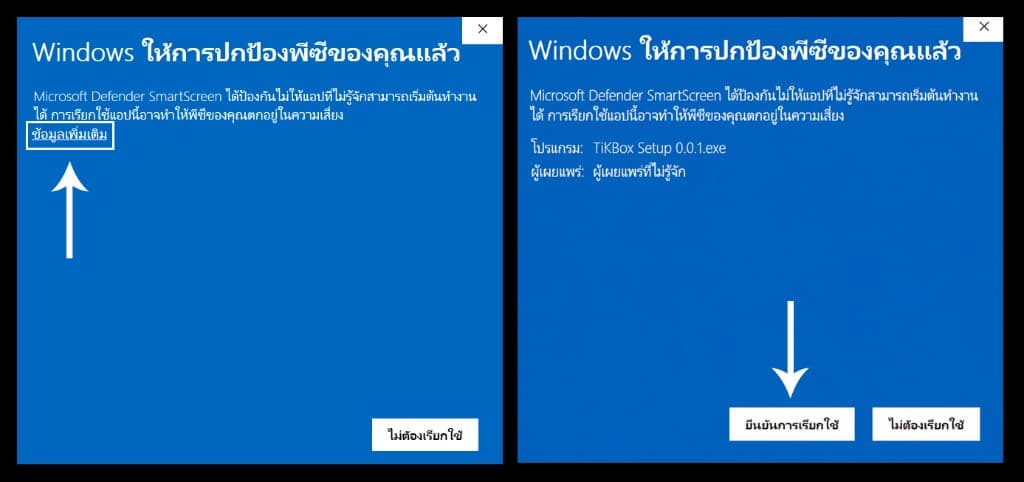
- 4See SmartScreen instead?
Click More info → Run anyway. Download only from boxblock.co.